
Automate video reviews
against your brief
Upload your brief and video. Review suggested comments, talk through changes, and draw on the frame to make every note clear.

How It Works
From your brief to clear, timecoded feedback.
Set your review criteria.
Upload your brief or write your criteria, so every video is reviewed against what matters to your campaign.
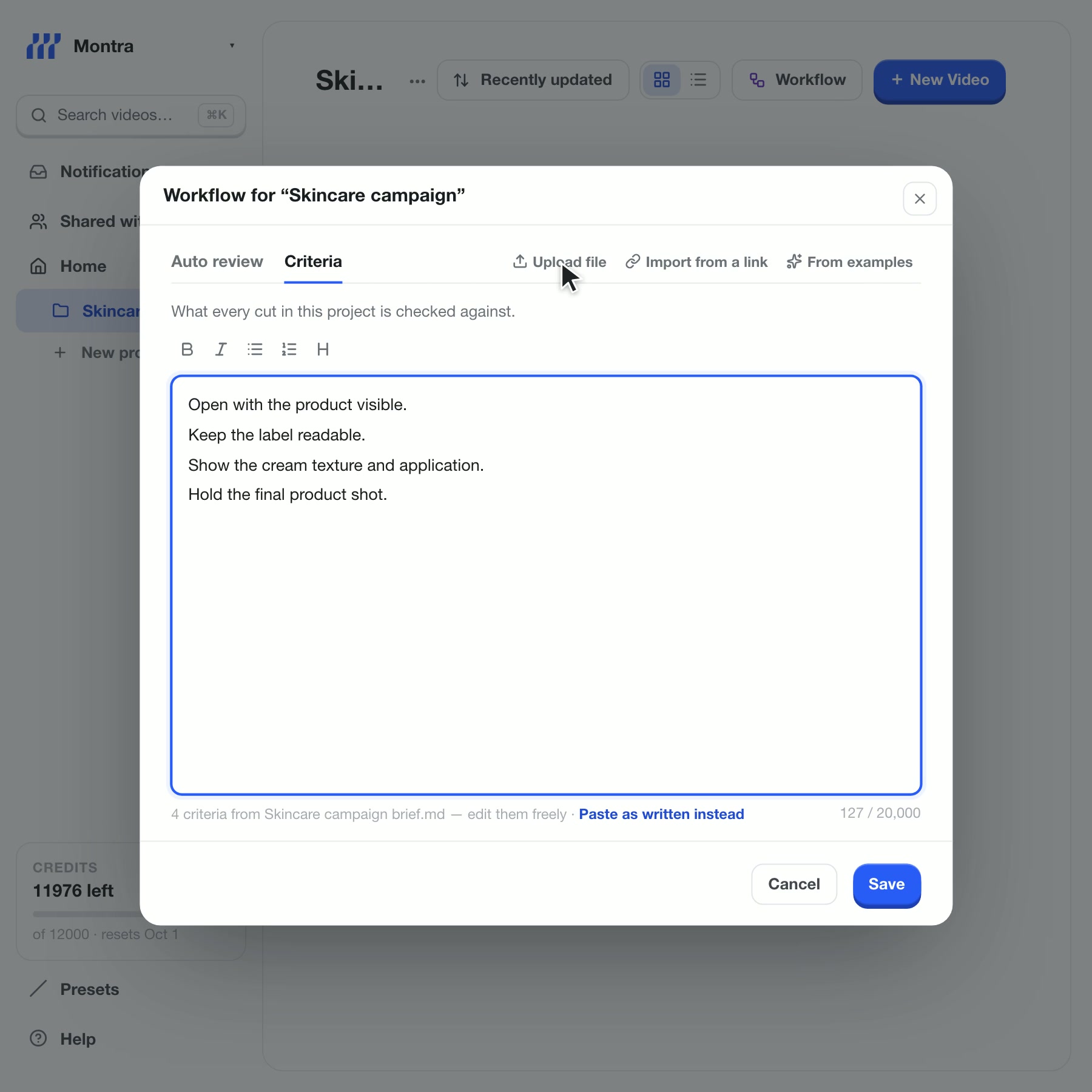
Workflow opens on Auto review, switched on for every new video in the project. A brief is uploaded on the Criteria tab, its four extracted criteria appear, and Save stores them. Silent product demonstration. Bring in your creators’ videos.
Upload a video yourself, or send your creator an upload link. Their video arrives in your project, ready for review.
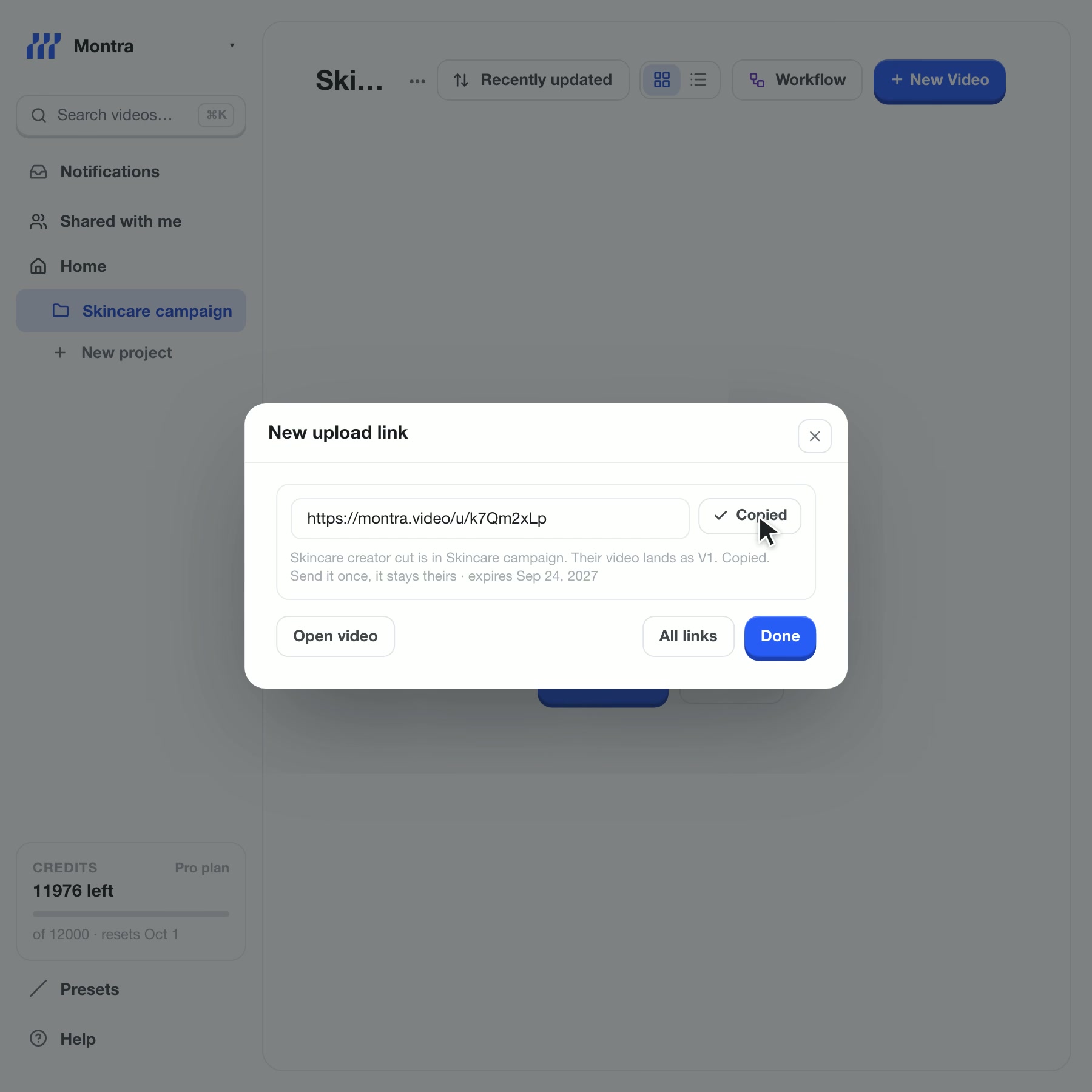
Two ways to bring in a video. A cut is uploaded directly and lands in the project. Then an upload link is created and copied; the creator uploads through it, and when their video arrives Montra starts checking it against the criteria. Silent product demonstration. Review the suggestions.
Montra analyzes each incoming video against your saved criteria and suggests timecoded feedback. Post the comments you want to keep and dismiss the rest.
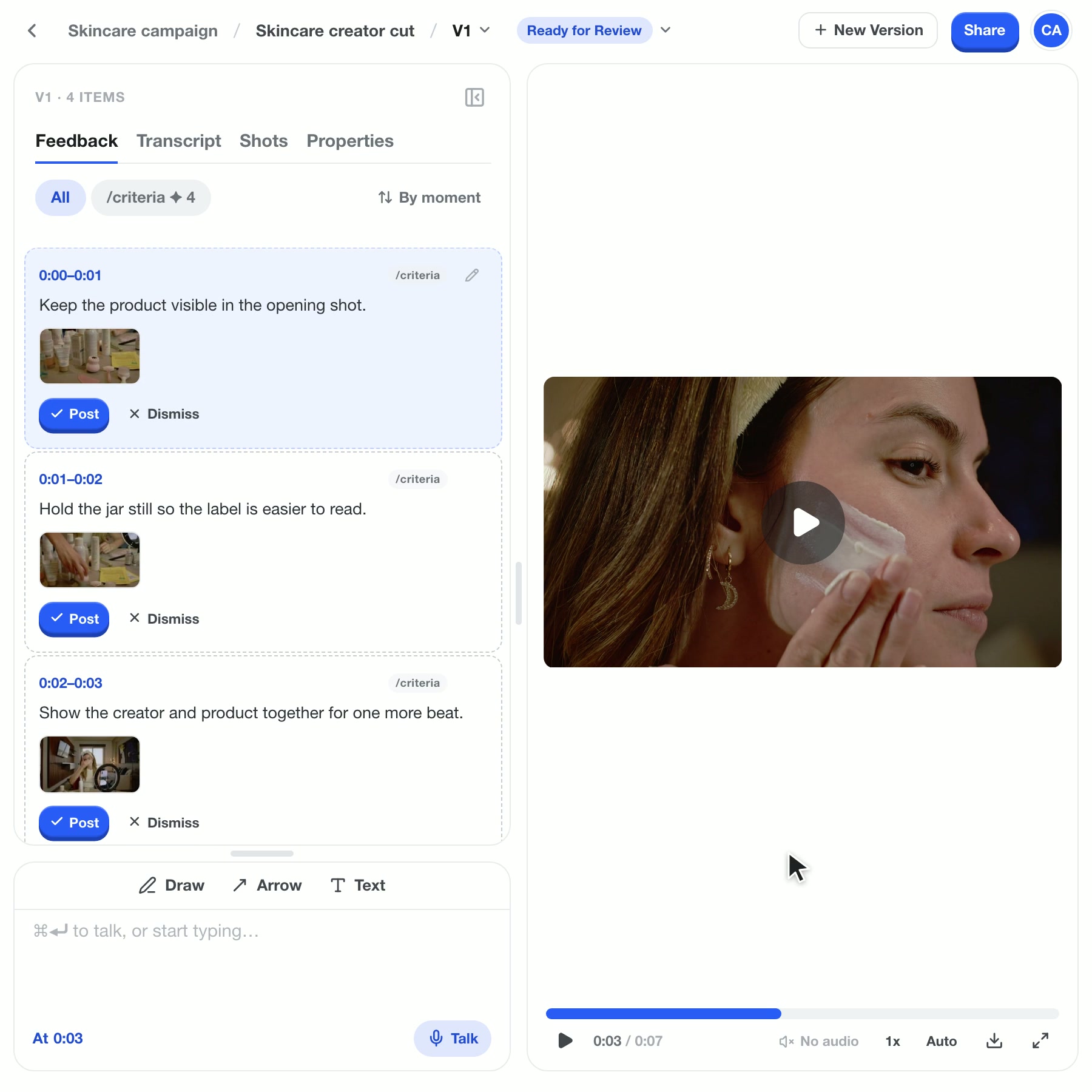
Montra checks the video against the saved criteria, then four timecoded suggestions appear. Two are posted and become published feedback; two are dismissed. Silent product demonstration. Point out what needs changing.
Talk while you watch and draw on the frame. Give your creator clear feedback tied to the right moment.
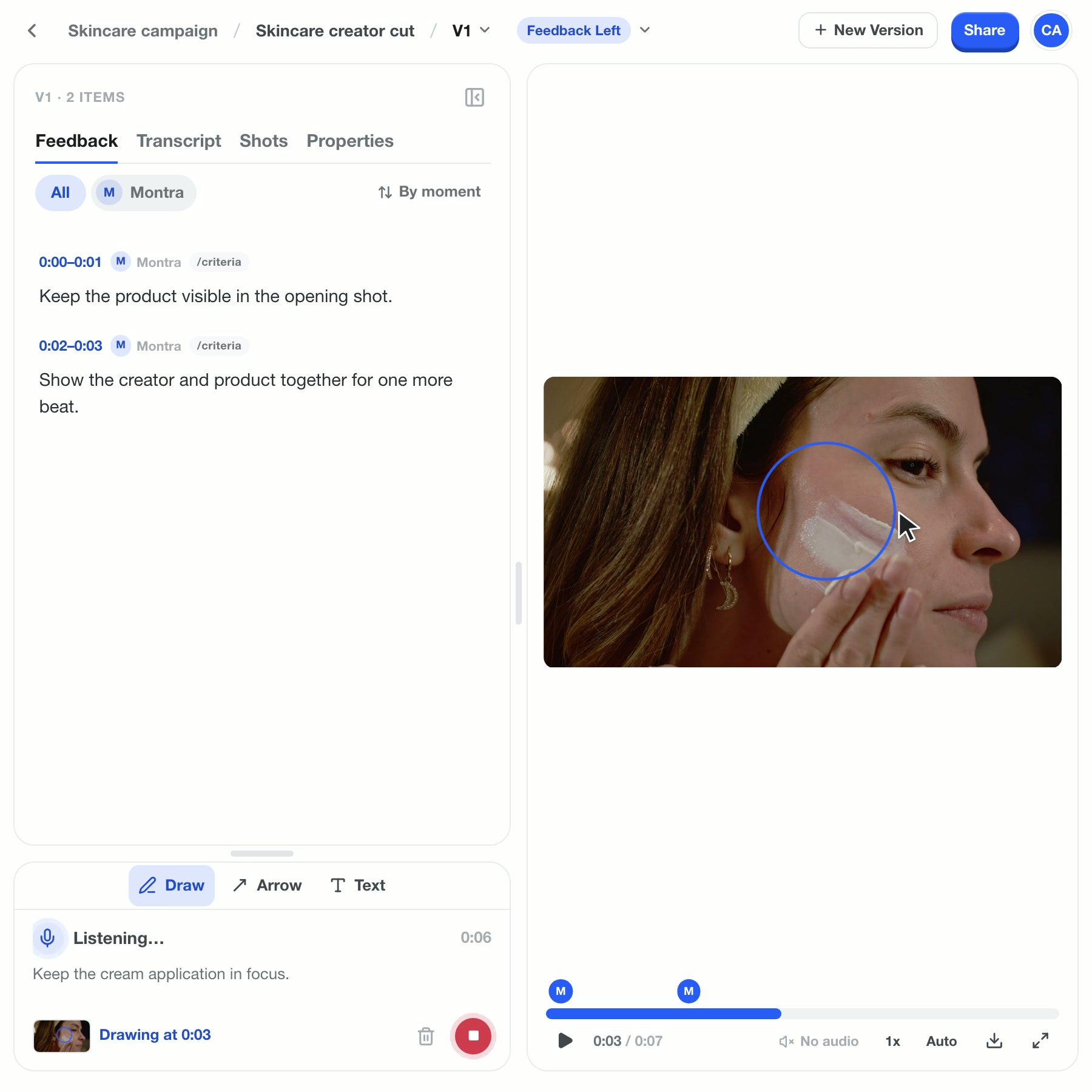
Talk starts recording with a visible microphone and live transcript. A circle is drawn on the video while recording continues, then the timecoded feedback and annotated frame appear together. Silent product demonstration. Send clear feedback back.
Share a review link with your creator, export comments for their editor, or hand feedback to an AI agent through MCP.
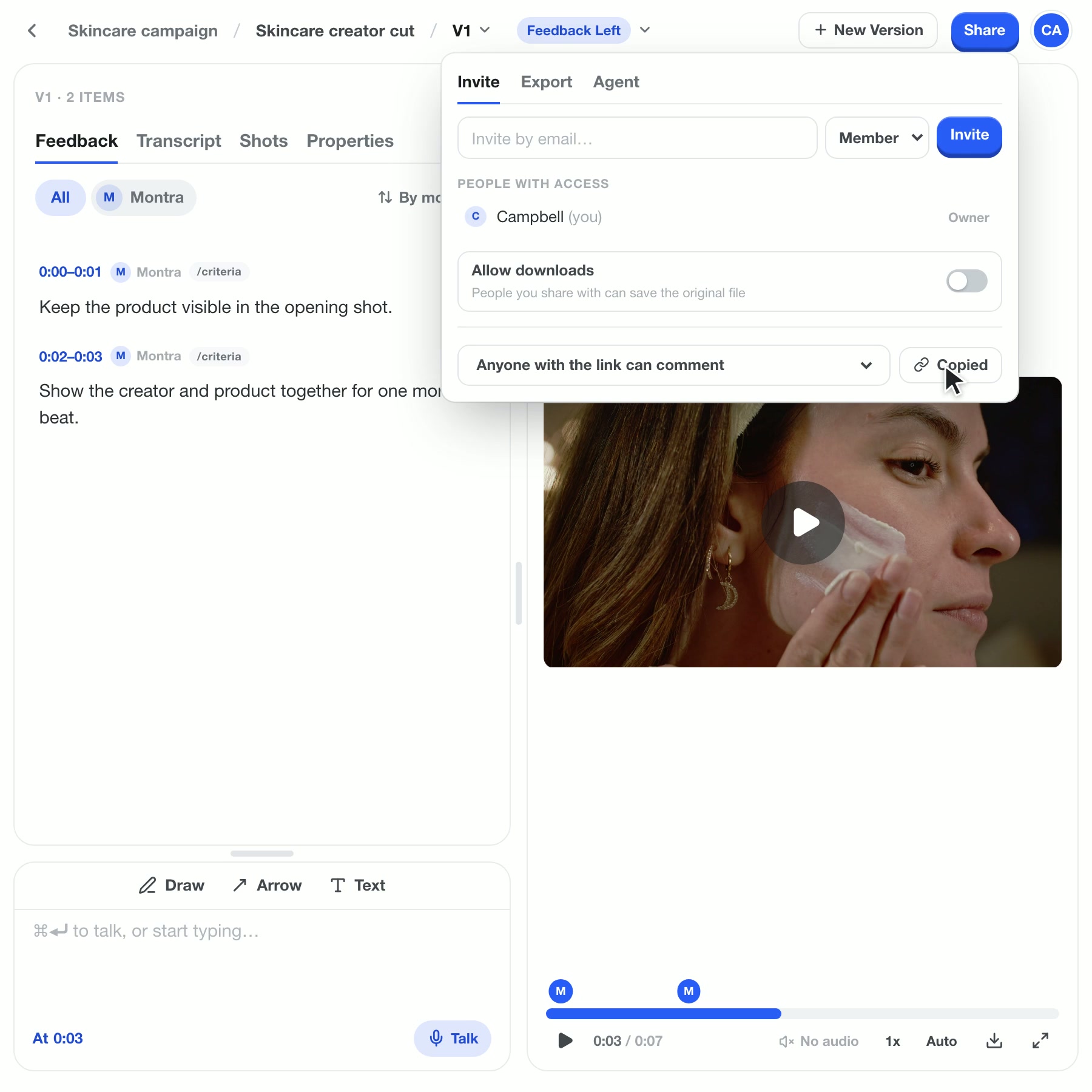
Three ways to send feedback back from Share. A review link is copied, and the creator who opens it sees only the posted comments. The comments are set to export as Premiere Pro markers. Copy for agent copies the feedback for an AI agent connected through MCP. Silent product demonstration.


How Montra compares
Everything you would expect from a video review tool, and the parts that review the cut for you.
| Capability | Montra | Frame.io |  Dropbox Replay Dropbox Replay |  Vimeo Vimeo | Wipster | Filestage |
|---|---|---|---|---|---|---|
| Auto review: checks every cut against your brief | ||||||
| Turns emailed client notes into timecoded feedback | ||||||
| Talk through feedback: voice notes become timecoded feedback | ||||||
| Hands feedback to an AI agent over MCP | ||||||
| Timecoded comments on the frame | ||||||
| Draw on the frame | ||||||
| Clients comment from a link, no seat | ||||||
| Upload link for footage from outside the team | ||||||
| Transcript of the video | ||||||
| Export markers to Premiere Pro, Final Cut Pro or DaVinci Resolve |
Checked against each vendor’s published features on 26 September 2026. A dash means the vendor’s pages do not describe it.
Frequently AskedQuestionsFAQs
Answers about collecting videos, checking briefs, and sharing feedback.
Spend less time reviewing creator videos.
Keep briefs, creator videos, and feedback together, so your team can focus on the next campaign.
Get started for free